
Businesses adopting AI agents report productivity gains up to 40% according to recent automation studies. Yet confusion remains about what AI agents actually are and how they differ from chatbots or traditional automation. This guide cuts through the noise, defining AI agents clearly, explaining their operation, and showing you exactly how to implement them for workflow efficiency.
Table of Contents
- What Is An AI Agent? Definition And Core Concepts
- Underlying Technology: AI Brains And Cognitive Models
- How AI Agents Operate: Configuration, Control, And Automation
- Comparing AI Agents With Traditional Automation Tools
- Common Misconceptions About AI Agents
- Real-World Impact: AI Agents In Business Workflows
- How To Implement And Integrate AI Agents In Your Workflow
- Discover AgentsBooks — The AI Agents Factory
Key takeaways
| Point | Details | |-------|---------|| | AI agents are autonomous software | They perform tasks independently using AI technologies like large language models to simulate human decision-making. | | Powered by cognitive AI brains | Large language models such as GPT and Claude enable context-aware reasoning and natural language processing. | | Different from chatbots and RPA | AI agents handle complex workflows autonomously while chatbots focus on conversation and RPA follows rigid scripts. | | Require human oversight | Current technology demands monitoring and human-in-the-loop controls for quality and ethical management. | | Deliver measurable business value | Organizations see faster response times, reduced repetitive workloads, and significant time savings across operations. |
What is an AI agent? Definition and core concepts
AI agents are autonomous software systems designed to perform tasks without continuous human intervention. They simulate human decision-making processes to complete workflows ranging from simple data entry to complex multi-step operations. Unlike static programs executing predefined commands, AI agents adapt their behavior based on context and environmental inputs.
These digital workers leverage AI technologies, particularly large language models, as their cognitive foundation. This AI-powered brain allows agents to understand natural language instructions, interpret unstructured data, and make contextual decisions. The result is software that doesn't just follow rules but actually reasons through problems.
AI agents excel at automating complex digital tasks across platforms. Key capabilities include:
- Processing and responding to emails, messages, and social media interactions
- Collecting, analyzing, and reporting on data from multiple sources
- Scheduling tasks and triggering actions based on specific conditions
- Integrating with APIs, cloud services, and enterprise systems
- Learning from feedback to improve performance over time
The core value proposition centers on freeing human workers from repetitive digital labor. By handling routine tasks autonomously, AI agents allow professionals to focus on strategic, creative, and high-value activities that require genuine human expertise.
Underlying technology: AI brains and cognitive models
Large language models like GPT and Claude form the core of AI agent cognition, enabling contextual decision-making. These models process natural language with human-like comprehension, allowing agents to interpret instructions, understand nuance, and generate appropriate responses. The AI brain serves as the reasoning engine that transforms input into intelligent action.
Integration of multi-modal AI and configurable skills allows sophisticated agent behavior. Modern agents don't just process text. They can analyze images, interpret audio, and synthesize information across multiple data types. This multi-modal capability expands what agents can perceive and act upon in digital environments.
Agent behavior is shaped through three key configuration layers:
- Skills define specific capabilities like data analysis, content creation, or API interaction
- Triggers specify when agents should activate based on events, schedules, or data conditions
- Permissions control what resources agents can access and what actions they can execute
Pro Tip: Start with narrow, well-defined agent skills rather than attempting to build a general-purpose assistant. Specialized agents with clear boundaries perform more reliably and are easier to monitor.
| Feature | AI Agents | RPA | Chatbots |
|---|---|---|---|
| Decision-making | Context-aware and adaptive | Rule-based and scripted | Conversation-focused |
| Data handling | Unstructured and structured | Structured only | Primarily text input |
| Autonomy level | High with oversight | Medium with strict rules | Low with human handoff |
| Use case | Complex workflows | Repetitive processes | Customer interaction |
The distinction matters because each technology serves different automation needs. AI agents bridge the gap between rigid automation and flexible human judgment, operating in the middle ground where context matters but human intervention isn't always necessary.
How AI agents operate: configuration, control, and automation
Configuration starts with defining the agent's role and capabilities. You describe what the agent should do, what knowledge it needs, and which platforms it should access. Modern platforms simplify this through natural language interfaces where you literally tell the agent its job description and responsibilities.
Agents initiate tasks automatically based on triggers you configure. These triggers can be time-based schedules, specific events like receiving an email, or data conditions such as a threshold being crossed. When triggered, the agent executes its programmed workflow without waiting for human approval.
Human oversight remains essential despite automation. You monitor agent performance, review outputs for quality, and adjust configurations based on results. Think of it as management rather than micromanagement. You set direction and check progress without controlling every step.
Here's how to deploy AI agents in your workflows effectively:
- Define clear objectives and success metrics for what you want automated
- Select or create an agent with skills matching your automation needs
- Configure triggers, permissions, and access to necessary data sources
- Test agent behavior in a controlled environment with sample tasks
- Deploy to production with monitoring dashboards and alert systems
- Review performance data and refine agent configuration iteratively
Common operational controls include:
- Rate limits preventing agents from overwhelming systems with requests
- Approval workflows requiring human sign-off for sensitive actions
- Audit logs tracking every decision and action for accountability
- Rollback capabilities allowing you to reverse problematic changes
- Kill switches providing immediate shutdown if agent behavior goes off track
Pro Tip: Build feedback loops where agents report their actions in human-readable summaries. Regular review of these reports helps you spot patterns, identify improvements, and maintain confidence in agent reliability.
The goal is supervised autonomy. Agents handle the execution while you maintain strategic oversight, creating a partnership between human judgment and machine efficiency.

Comparing AI agents with traditional automation tools
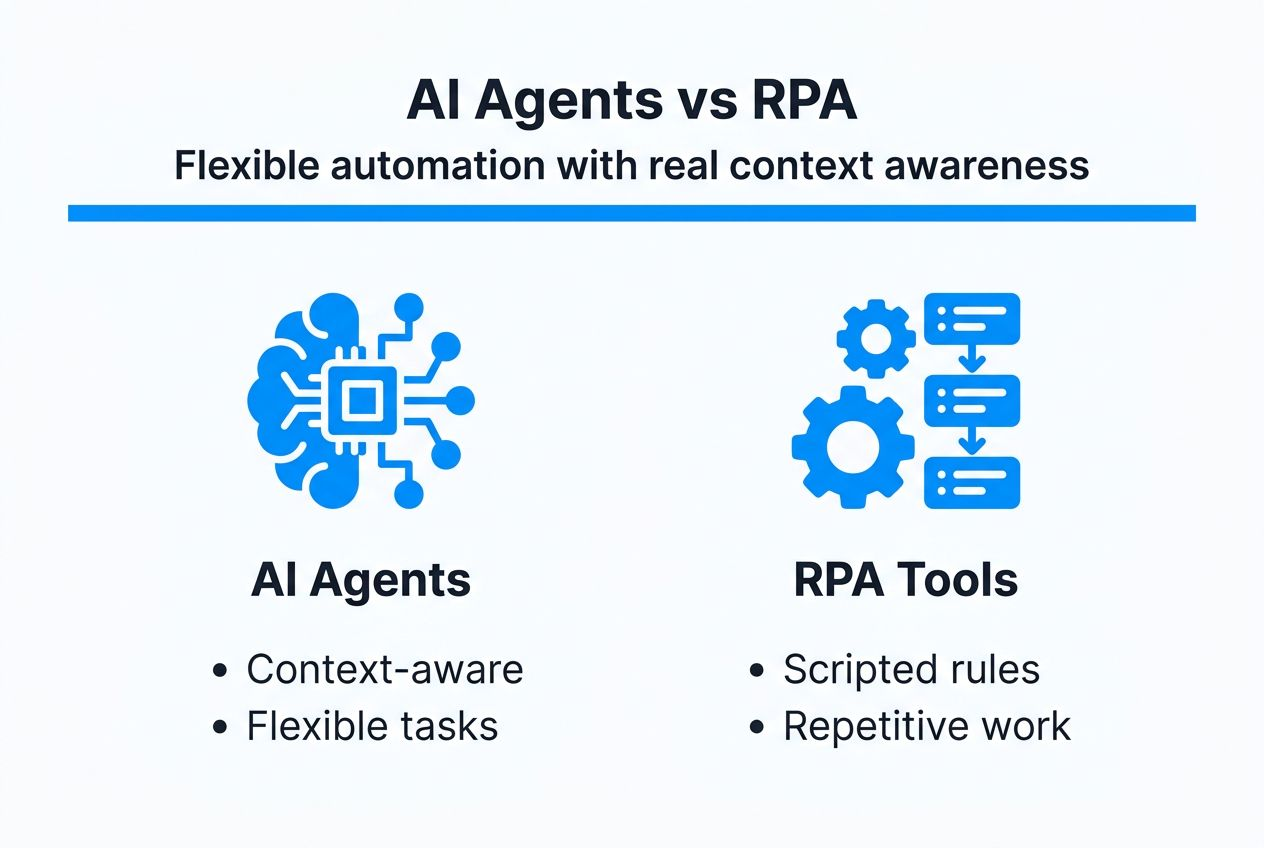
AI agents use context-aware decision making versus scripted rules in robotic process automation. RPA excels at repetitive, structured tasks with clear if-then logic. AI agents handle situations requiring interpretation, judgment calls, and adaptation to varying contexts. Where RPA breaks when encountering unexpected input, AI agents adjust their approach.
AI agents offer more flexible handling of unstructured data and context-aware decisions compared to rule-based RPA. They can read and understand emails, extract meaning from documents, and respond to situations not explicitly programmed. This flexibility comes from their AI-powered reasoning rather than predetermined scripts.
| Capability | AI Agents | RPA | Chatbots |
|---|---|---|---|
| Handles ambiguity | Yes, through contextual reasoning | No, requires exact conditions | Limited to conversation flow |
| Learning ability | Improves from feedback | Static unless reprogrammed | Pattern recognition only |
| Integration complexity | Moderate with API support | High with screen scraping | Low for messaging platforms |
| Best for | Multi-step complex workflows | High-volume repetitive tasks | Customer service conversations |
Scenarios best suited to AI agents:
- Managing email correspondence requiring understanding of context and intent
- Analyzing reports and generating insights from unstructured data
- Coordinating across multiple platforms based on changing conditions
- Handling exceptions and edge cases in otherwise routine processes
Traditional automation works better when:
- Tasks follow identical steps every time without variation
- Speed and volume matter more than contextual understanding
- Compliance requires deterministic, auditable rule execution
- Legacy systems lack APIs and require interface automation
The choice isn't always either-or. Many organizations use AI agents and RPA together, with agents handling judgment-based decisions and RPA executing the resulting structured tasks. This hybrid approach combines the strengths of both technologies.
Common misconceptions about AI agents
Myth: AI agents run completely independently without supervision. This misconception stems from sci-fi portrayals of autonomous AI. Reality proves different. Current AI agents require human oversight for quality control, ethical boundaries, and strategic direction. They automate execution but don't replace human judgment on goals and values.
Fact: Human-in-the-loop remains critical for quality and ethical control. Organizations deploying AI agents successfully build review processes, approval gates for sensitive actions, and regular performance audits. The automation handles volume while humans ensure quality and alignment with business objectives.
Myth: AI agents have perfect context retention and never forget information. Many assume these systems maintain flawless memory of all past interactions. In practice, agents have limited context windows determined by their underlying AI models. They can lose track of information from earlier in long conversations or workflows.
Fact: Current agents have limited memory and need design to handle context. Effective agent deployment involves architecting information flow, storing critical data externally, and refreshing agent context strategically. You work within the technology's constraints rather than assuming unlimited recall.
Common myths versus facts:
- Myth: AI agents understand like humans. Fact: They pattern-match and predict based on training data.
- Myth: Setup is instant and requires no configuration. Fact: Effective agents need thoughtful setup and tuning.
- Myth: Agents work perfectly out of the box. Fact: Performance improves through iterative refinement.
- Myth: AI agents eliminate all human involvement. Fact: They shift humans from execution to oversight roles.
Organizations implementing AI agents with proper human oversight report 35% fewer errors compared to fully autonomous deployments, according to automation quality studies.
Understanding these realities helps set appropriate expectations. AI agents are powerful tools for augmenting human capabilities, not replacing human judgment entirely. The most successful implementations embrace this partnership model.
Real-world impact: AI agents in business workflows
Businesses deploying AI agents see significant time savings through task automation across industries. Customer service teams reduce response times from hours to minutes. Marketing departments scale content distribution without proportional headcount increases. Operations teams monitor systems and respond to issues faster than manual processes allow.
Faster response times in customer service workflows translate directly to satisfaction improvements. AI agents handle initial inquiries, route complex issues to appropriate specialists, and follow up automatically. Customers get immediate acknowledgment and faster resolution while human agents focus on cases requiring empathy and creative problem-solving.
Employee satisfaction improves as AI agents absorb repetitive workloads. Workers report higher job satisfaction when freed from mundane data entry, routine emails, and manual report generation. They spend more time on strategic thinking, relationship building, and creative work that provides genuine fulfillment.
Specific workflow impacts include:
- 60% reduction in time spent on administrative email management
- 45% faster data collection and preliminary analysis for reporting
- 70% decrease in manual scheduling and calendar coordination effort
- 40% improvement in response consistency across customer interactions
Statistic: Companies implementing AI agents for workflow automation report average productivity gains of 40% in automated task categories, with some departments seeing improvements exceeding 60% for highly repetitive functions.
The impact extends beyond pure time savings. AI agents enable scaling operations without proportional cost increases. A small team supported by well-configured agents can handle workloads previously requiring much larger staff. This scaling advantage particularly benefits growing businesses and resource-constrained departments.
Quality improvements emerge from consistency. AI agents don't have bad days, don't forget steps, and execute processes identically every time. This reliability reduces errors in data handling, ensures compliance with procedures, and maintains service standards even during high-volume periods.
How to implement and integrate AI agents in your workflow
Successful implementation follows a structured approach:
- Define specific goals and identify high-value tasks suitable for automation
- Select an AI agent platform matching your technical comfort and integration needs
- Create your first agent with narrow, well-defined responsibilities
- Configure skills, triggers, and permissions aligned with your security requirements
- Test thoroughly using real scenarios in a safe environment
- Deploy to production with monitoring and human review processes
- Gather feedback, measure results, and refine agent configuration
- Scale gradually by expanding agent capabilities or deploying additional specialized agents
Non-technical users benefit from platforms offering natural language configuration. You describe what you want in plain language rather than writing code. The platform translates your description into agent behavior, lowering the barrier to entry dramatically.
Integration via APIs and multiple platforms requires planning but delivers powerful results. Modern AI agent platforms connect to email systems, social media, cloud storage, databases, and custom applications. You grant agents access to the tools they need while maintaining security through permission controls.
Best practices for smooth integration:
- Start with read-only access before granting agents write permissions
- Use staging environments to test agent behavior before production deployment
- Document agent configurations and decision logic for team understanding
- Establish clear escalation paths when agents encounter situations beyond their scope
- Monitor API usage and rate limits to avoid service disruptions
Pro Tip: Create an agent performance dashboard tracking key metrics like task completion rates, error frequencies, and time savings. Regular review of this dashboard helps you spot issues early and identify opportunities for optimization.
Monitoring during deployment isn't optional. Set up alerts for unusual agent behavior, track success rates for automated tasks, and review a sample of agent outputs regularly. This oversight catches problems before they escalate and builds confidence in agent reliability.
Human oversight should feel like management, not babysitting. You check in periodically, review summaries rather than every action, and intervene only when patterns suggest adjustment is needed. As trust builds through demonstrated reliability, you can gradually expand agent autonomy within appropriate boundaries.
Discover AgentsBooks — the AI agents factory
Ready to put AI agents to work in your workflows? AgentsBooks provides everything you need to create, configure, and deploy autonomous agents without extensive technical expertise. The platform guides you through agent creation using simple descriptions, connects to your existing tools and platforms, and scales with your automation needs.
Whether you're automating customer service, streamlining internal operations, or managing multi-platform content distribution, AgentsBooks handles the complexity. You get access to powerful AI brains like GPT and Claude, flexible integration options, and expert support to ensure smooth implementation. Thousands of businesses and professionals already use AgentsBooks to reclaim time and boost productivity through intelligent automation.
FAQ
What is an AI agent in simple terms?
An AI agent is autonomous software that completes tasks by simulating human decision-making. It uses AI technologies like large language models to understand instructions, process information, and take actions without constant human direction.
How do AI agents differ from chatbots or RPA?
AI agents handle complex, multi-step workflows requiring contextual understanding and adaptive decision-making. Chatbots focus specifically on conversational interactions with users. RPA follows rigid, rule-based scripts for repetitive structured tasks without interpretation.
Can AI agents operate without human oversight?
Current AI agents require human oversight for quality control, ethical management, and strategic direction. Full autonomy is unrealistic with existing technology. Successful deployments use agents for execution while humans maintain supervisory roles.
What are some common use cases for AI agents in business?
Customer support automation handles inquiries and routes complex issues appropriately. Task and workflow management coordinates multi-step processes across platforms. Data collection and reporting automation gathers information and generates insights without manual effort.